March 31, 2023
Level set with the partner leveling dashboard
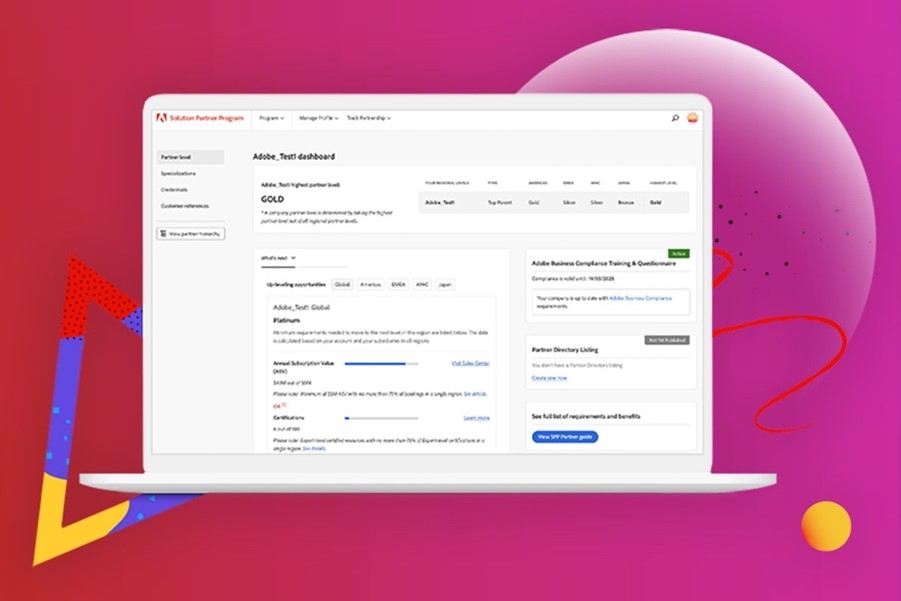
Use the new self-service tool to track your standing against partner level requirements.
Whether you want to maintain your current partner level, worry you’re at risk of dropping a level, or need to know what it takes to move up a level, you need information about how you are tracking against Solution Partner Program requirements for each partner level. If you are the designated contact for your account, now you can access that information any time you want with the partner leveling dashboard, a new self-service tool available on the Solution Partner Portal.
Accessing the dashboard
To use the dashboard, as the designated contact for your account, just log into the Solution Partner Portal and follow these steps:
- Click on and open the main Profile menu at the top right of the Portal.
- Click Update your profile from the Profile menu to open the Manage Profile page.
- Select the Track Partnership option from the horizontal menu across the top of the page to open the partner leveling dashboard.
(OR)
- Click on the Program tab from the Portal’s top navigation bar.
- Click Track Partnership under the Account Management section.
Note: This page is viewable for Primary contacts only
Track your current status
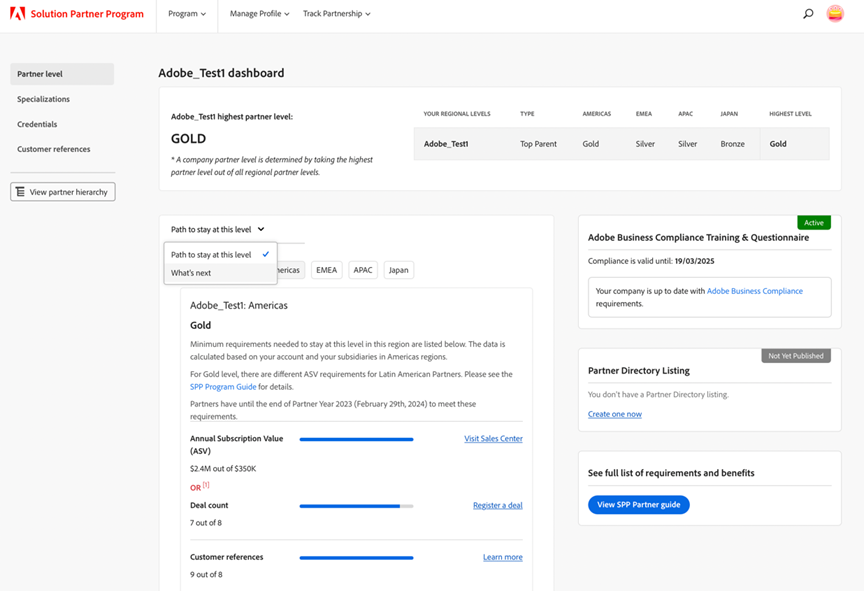
Following the steps above displays the dashboard’s default view with information on how you are tracking against your current level. Tracking the status of your current level relies on data that we refresh weekly. You can see the latest refresh at the bottom of the table in the dashboard. Having this information at your fingertips makes it easier than ever to see where you stand throughout the year.
See requirements to move up a level
To see what it will take to move up a level, just click What’s next. Depending on your screen size, this option will either be from the dropdown menu, as shown in the above image, or next to Path to stay at this level option. Depending on selected combinations of level and region, the requirements will differ.
Click between the different regions and drill down to see a list of the credentials, specializations, and customer references associated with your partner account for that region and what’s needed to move up a level. Because the Platinum level has global requirements, the dashboard automatically takes you to the Global tab if you click What’s next and your current level in a given region is Gold.
Should you meet the requirements to uplevel in the middle of the program year, reach out to spphelp@adobe.com for next steps. See full Program Requirements here.
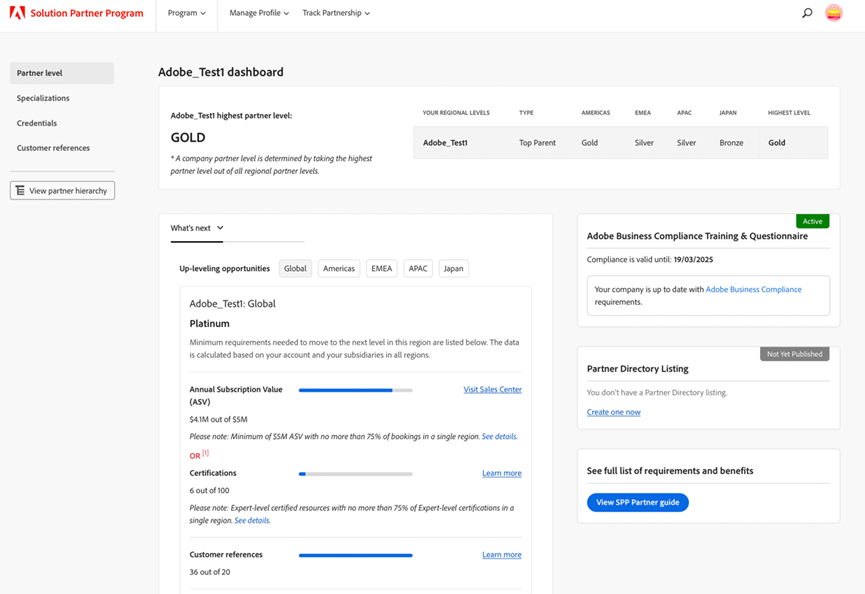
For our up-level analysis, we use a year’s worth of data that includes the current quarter and the previous three quarters. When a new quarter starts, the data that’s being displayed will update to reflect the current quarter in the up-level analysis.
Additional information
The dashboard displays additional data and statuses on the right-hand side of the page. These include your compliance with the program, which must be renewed every two years, and a link to your Partner Directory Listing.
Need help with the dashboard?
For any questions or issues, or if you need to request a change in permissions to view the dashboard, contact spphelp@adobe.com.